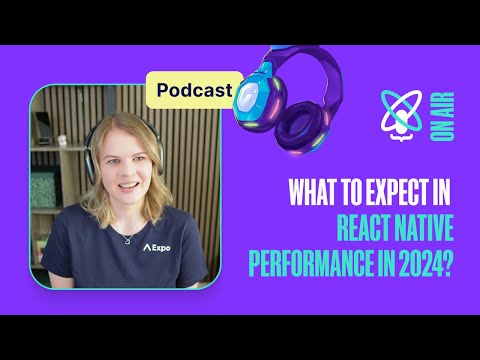
The webinar focuses on five metrics: frames per second, time to interactive, app size, CPU use, and memory use. The presenters argue that slow loading and large downloads can drive users away, especially when connectivity or device storage is limited.
Top 5 metrics when you need to track when optimizing React Native app
Speakers
Michał, Callstack’s Head of Technology, explains how to measure React Native performance with host Mukesh and business development manager Jakub during a Callstack webinar.
The presenters explain that React Native has separate JavaScript and UI threads, so teams should monitor both: work blocking the UI thread can hurt scrolling, while a busy JavaScript thread can affect animations and input. They recommend production-mode checks with the React Native performance monitor and native profilers. In one social media app, profiling and reducing unnecessary re-renders improved frame rates and reduced dropped frames; in a sports betting app, switching to Hermes and reducing pre-renders cut time to interactive by 50%.
The presenters recommend checking release packages through the app stores and inspecting JavaScript bundle contents with tools such as React Native Bundle Visualizer. They note that unused native dependencies can still be included in an app, and that Metro configuration can bundle unnecessary shared web code. Removing dependencies and correcting bundling reduced one client’s app size by 15%.
The presenters suggest Android Studio Profiler and Flipper for Android, and Xcode tools for iOS, to investigate memory and CPU use. For Dream11, resizing images and improving FastImage caching led to about 20% fewer dropped frames in an image list and faster chat interaction. In another project, replacing JavaScript dependencies, optimizing animations, and tuning FlashList reduced CPU spikes and improved time to interactive by 11% to 74% in key scenarios.
The presenters recommend starting with tools teams already know, then tracking results continuously across releases or pull requests where possible. They advise profiling before adding memoization or monitoring libraries, since their effects depend on the app and setup. The closing message is to use measured data to guide optimization decisions instead of relying only on intuition.
Takeaways
- Track JavaScript and UI frame rates separately because each thread can cause different user-facing problems.
- Measure startup time on representative devices; the webinar suggests aiming for under one second where feasible.
- Inspect both the full app package and its JavaScript bundle, and remove unused dependencies.
- Profile memory and CPU alongside frame rate, since resource pressure can contribute to dropped frames and slower interaction.
- Keep performance measurements in the development workflow and compare results across releases to catch regressions.
Mentioned in this talk
Callstack TeamDream11 SlidoThe Ultimate Guide to React Native OptimizationFlipperXcode InstrumentsReact Native Dev Menu Perf MonitorShopify React Native Performance
 Sentry MCP
 Firebase
 Hermes AgentFlashListFlashlightReassureReanimatedPaperReact NavigationWhy Did You RenderRe.Pack
 React NativeFlatListAnimated APIwebpack
SlidoThe Ultimate Guide to React Native OptimizationFlipperXcode InstrumentsReact Native Dev Menu Perf MonitorShopify React Native PerformanceFirebaseHermes AgentFlashListFlashlightReassureReanimatedPaperReact NavigationWhy Did You RenderRe.PackReact NativeFlatListAnimated APIwebpackSearch inside this talk
What was claimed 13
- role atMichał is Head of Technology at Callstack Team
“I'm Head of Technology here at Callstack.”
YouTube Unverified1 source· Talk
- role atMukesh is software developer and team leader at Callstack Team
“I'm Mukesh, a software developer at Callstack and a team leader.”
YouTube Unverified1 source· Talk
- role atJakub is business development manager at Callstack Team
“I'm a business development manager here at Callstack.”
YouTube Unverified1 source· Talk
- featureCallstack Team: Works on React and React Native core teams and provides client performance optimization
“our people work on core React and React Native teams, and we also do a lot of work for large clients”
YouTube Unverified1 source· Talk
- metricReact Native: The React Native performance measurement tooling discussed did not support 120 FPS
“it doesn’t yet support 120 FPS”
YouTube Unverified1 source· Talk
- featureShopify React Native Performance: Collects React Native performance metrics continuously
“a robust way to do so”
YouTube Unverified1 source· Talk
- metricCallstack Team: 50% reduction in time to interactive for a sports betting client
“time to interactive was reduced by 50 percent”
YouTube Unverified1 source· Talk
- metricCallstack Team: 15% app size reduction for a sports betting client
“the app size was reduced by 15%”
YouTube Unverified1 source· Talk
- metricDream11: 120 million users
“the world's largest fantasy sports platform, with more than 120 million users”
YouTube Unverified1 source· Talk
- metricCallstack Team: Around 20% fewer dropped frames in a chat list with images
“we observed around 20 percent fewer dropped frames”
YouTube Unverified1 source· Talk
- metricCallstack Team: 11% to 74% improvement in time to interactive for key scenarios
“improved time to interactive for key scenarios by 11% to 74%”
YouTube Unverified1 source· Talk
- featureReassure: Statistical analysis to rule out anomalies in performance tests
“use statistical analysis to rule out some of those anomalies”
YouTube Unverified1 source· Talk
- featureFlashList: Shopify list component considered a default choice for performance-sensitive lists
“Today, I’d default to FlashList from Shopify”
YouTube Unverified1 source· Talk