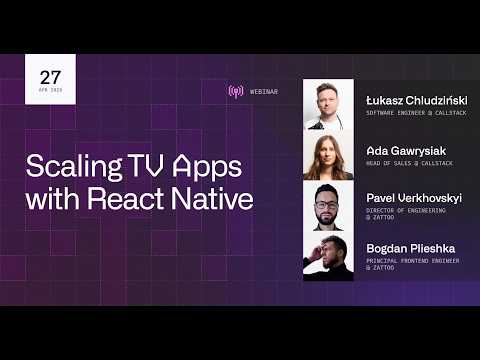
TV apps are part of a wider streaming ecosystem that includes mobile, web, and smart TV platforms such as Tizen and webOS. For Apple TV and Android TV, the speakers recommend React Native TV OS, with Expo examples and community projects as starting points. Existing native apps can also adopt React Native through a brownfield setup.
Mastering The Big Screen - React Native For TV
Speakers
Lucas Kluzinski of Callstack, with Anisha and Giovanni, developer advocates at Amazon Appstore Devices, discusses building TV and streaming apps with React Native in a webinar hosted from Warsaw and London.
The speakers favor monorepos for universal apps, with either platform-specific apps and shared packages or feature-based packages for teams. CODEOWNERS files or package-level ownership rules can help large teams route reviews to the people responsible for a platform or feature. Business logic and state are often shareable, while navigation, UI, and video players may need platform-specific choices.
Focus management is central because viewers use a remote from several meters away. React Native TV OS provides remote event handling and focusable controls, while TVFocusGuideView can help bridge differences between Android TV and tvOS focus behavior. The speakers recommend structuring screens so focus flows naturally, and using familiar TV patterns such as left-side navigation, tabs, and content carousels.
TV apps must work across devices with different memory and processing limits; one example had a first-generation Fire TV Stick as a daily reference device. The speakers suggest monitoring memory, removing heavy screens or images when appropriate, and simplifying effects for low-end devices. They recommend sharing tests where possible, emphasizing integration tests, staging end-to-end checks across the development cycle, and testing on real TVs before release.
In Q&A, Lucas says React Native TV OS does not support Roku, and suggests a WebView approach similar to web-based TV platforms. React Native Web can be tried for Tizen or webOS, though performance may call for React on web with shared higher-level components. The speakers also note that Expo Updates supports tvOS, while Expo Go does not run on TV.
Takeaways
- Choose a real low-end TV device as a development reference, not only a current premium model.
- Share business logic and state where useful, then measure before sharing performance-sensitive UI or animations.
- Make remote focus behavior part of screen structure and test it across Android TV and tvOS.
- Use repository ownership rules to send platform-specific changes to reviewers with the right expertise.
- Match test depth to the development stage, and include real-device checks before release.
Mentioned in this talk


Search inside this talk
What was claimed 10
- role at
“now I'm a developer advocate at Amazon Appstore Devices”
YouTube Unverified1 source· Talk
- role at
“I'm a developer advocate at Amazon”
YouTube Unverified1 source· Talk
- built
“developed by Callstack”
2:06inHow React Native Testing Library is different from Native Testing LibraryYouTube Verified4 sources· Talk
- role atLucas Kluzinski is developer at
 Callstack
“I'm Lucas Kluzinski from Callstack”
YouTube Unverified1 source· Talk
- featureReact Native TV OS: Fork of React Native with changes to support Apple TV and Android TV
“a fork of the main repository with only the changes needed to support Apple TV and Android TV”
YouTube Unverified1 source· Talk
- featureReact Native TV OS: Provides APIs for TV apps and focus management
“already offers APIs to help you develop TV apps and manage focus”
YouTube Unverified1 source· Talk
- featureTVFocusGuideView: Helps users navigate to focusable controls that are not directly aligned with other controls
“lets users navigate to focusable controls even when they aren't directly in line with other controls”
YouTube Unverified1 source· Talk
- uses
“you can definitely use React Native Testing Library, just as you would on your mobile app”
YouTube Unverified1 source· Talk